Tags
Much like markers, tags are designed to make it easy to identify specific recordings, tagging them just below the show name as Rehearsal, Tech, Dress, Performance, or whatever makes sense for you and your workflow.
Configuring Tags
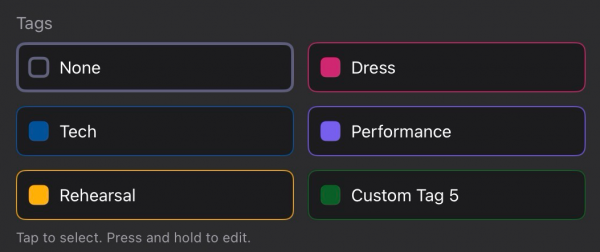
You can configure up to five tags in the app Settings, and select corresponding colours, for quick and easy tagging of videos. Just tap and hold to edit any existing tag and assign you own text and chosen colour.
These tags can then be selected later via OSC if you wish either by their position (1-5) or name (as long as it's a single word tag)
It's also possible to set a custom tag via OSC at any time, so you could even use this for Act 1, Act 2 etc and trigger it automatically from your cue stack with an appropriate OSC command.
Tags are just another way of making it easy to identify your recordings. The tags will also appear in the file names.
Colours
The tag colours are the same standard 10 colours as can be used for Markers;
█ Red, █ Magenta, █ Orange, █ Amber, █ Green, █ Teal, █ Cyan, █ Blue, █ Violet
These can be specified in the OSC Commands as either the full colour name (e.g. /cuecam/tag/custom/magenta or the first letter of the colour /cuecam/tag/custom/m)