Free for Fringe!
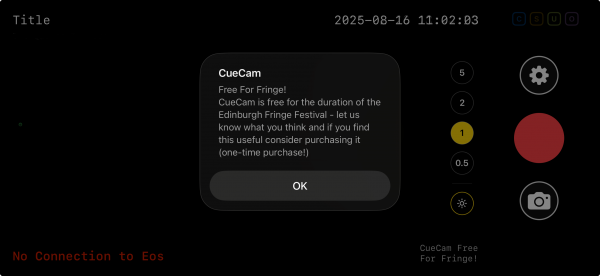
CueCam is a great tool for shows of all sizes, so we're delighted to offer it FREE for the duration of the Edinburgh Festival Fringe.
To take advantage of this, simply be in Edinburgh in July and August and download CueCam, when it loads it will load in evaluation mode with the usual limitation after five minutes.
- Open Settings, and scroll down to Location
- Enable “Use Location Data” and “Overlay Venue on Photos and Videos”
- Select your Fringe venue (or the nearest one - if it's not in the list, please contact us!), it should have a small star icon next to the venue name.
- You should see a Free for Fringe pop-up
- CueCam is now fully unlocked until the end of August, enjoy!
The only difference between this and a standard license is a small “CueCam Free at Fringe!” message on the video itself.
Purchasing during Fringe
If you purchase CueCam during the fringe, your “Free for Fringe” license immediately becomes a full CueCam license (and the “CueCam Free for Fringe!” text is removed)