Chapter Markers
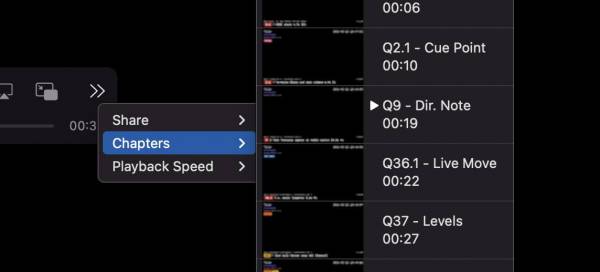
Video chapter markers are like bookmarks inside a video file, they can be used by most standard media players including QuickTime Player, VLC, and IINA as either a selectable list of bookmarks you can jump straight to, and you can instantly jump back and forth between them (e.g. “Next Chapter” shortcuts)
CueCam and Chapter Markers
CueCam can be configured to write Chapter Markers both on a new cue firing (NB: unlike CueSnaps, these happen when the cue fires not when it completes) and when you add a marker. These can be individually configured within Settings
You can also use CueCam Play to view richer, detailed, markers using CueCam's own custom metadata.